
Robots.txt checker
Pick a crawler and enter a URL. We read your robots.txt the way Google does, show the exact line that allows or blocks the page, and request it as that bot to see what your server does.
About the robots.txt checker
Five things for the crawler you pick:
- Which robots.txt group applies to it, and the exact line that allows or blocks the URL
- What your server returns when the page is requested with that crawler’s user agent
- noindex, nofollow and nosnippet rules aimed at it in meta tags or the X-Robots-Tag header
- Mistakes in robots.txt: typos, rules outside a group, full URLs in rules and unsupported directives
- Every redirect hop, since each new URL is checked against its own host’s robots.txt
Google uses the group for its most specific name (a Googlebot group before User-agent: *) and combines every group with that name. Within it, the longest matching rule wins, and Allow wins a tie. Wildcards (*) and end anchors ($) work as Google documents. If robots.txt returns a 4xx error, Google treats the site as having no rules; a 5xx error stops it crawling the site until the file loads again.
Yes. Press “Edit and test” under the robots.txt, change the rules and test them against the URL. Switch crawler to see how the same rules treat other bots. Nothing on your site changes.
Firewalls, CDNs and security plugins often refuse AI crawlers by user agent, whatever robots.txt says. Some also check that a request claiming to be Googlebot or Bingbot really comes from Google or Microsoft, and refuse our test while letting the real crawler in. Search Console’s crawl stats show what the real Googlebot gets.
Not reliably. robots.txt controls crawling. A blocked URL can still be indexed from links on other sites, without its content. To keep a page out of results, allow crawling and add a noindex tag.
Search and assistant crawlers (OAI-SearchBot, ChatGPT-User, Claude-SearchBot, Claude-User and PerplexityBot) fetch pages to answer questions and cite sources, so blocking them keeps you out of AI answers. Training crawlers (GPTBot, ClaudeBot, Google-Extended and CCBot) collect content for training models; blocking them is a business decision and doesn’t affect AI search. Our AI crawler checker tests them all at once.
More free tools
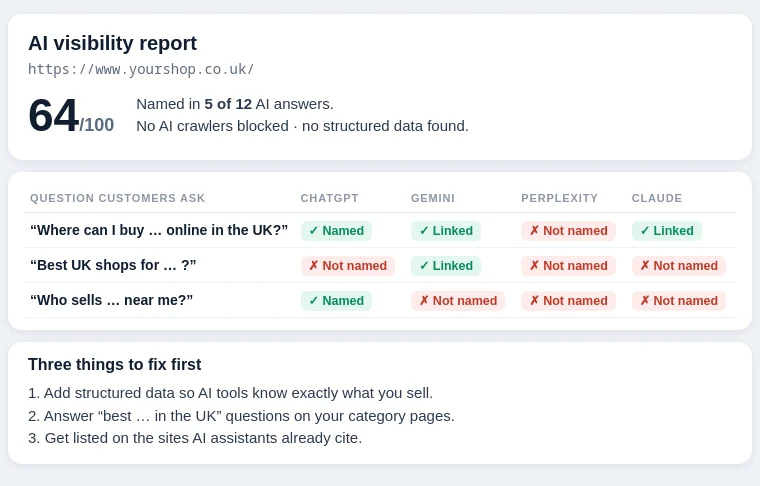
AI visibility report
Do ChatGPT, Gemini, Perplexity and Claude recommend you? A free report, checked by our team and emailed to you.
Use the tool New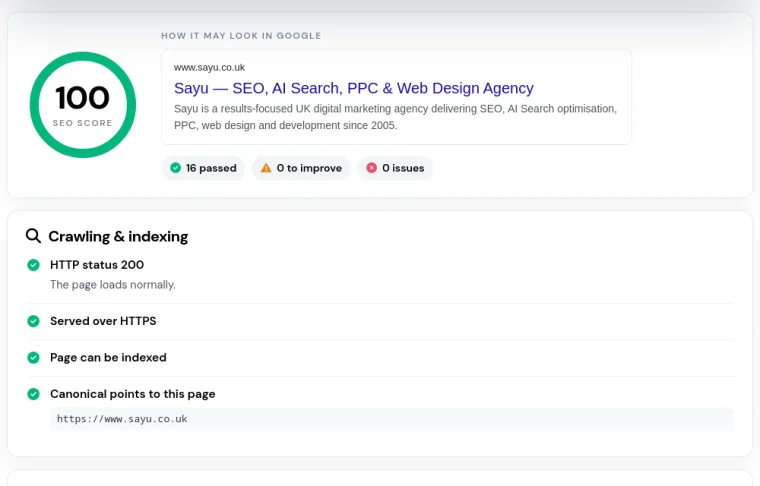
SEO page checker
Titles, meta descriptions, headings, alt text, structured data and speed for any page, scored in seconds.
Use the tool New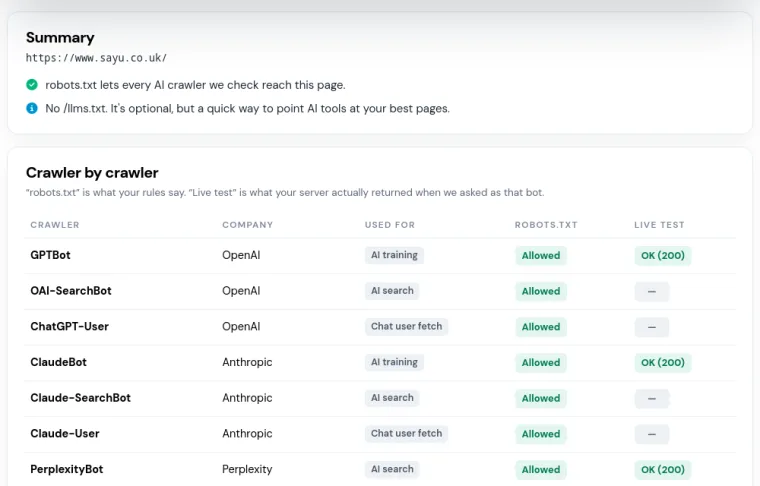
AI crawler checker
Can ChatGPT, Claude, Perplexity and Google’s AI reach your pages? Checks robots.txt, your server and llms.txt.
Use the tool New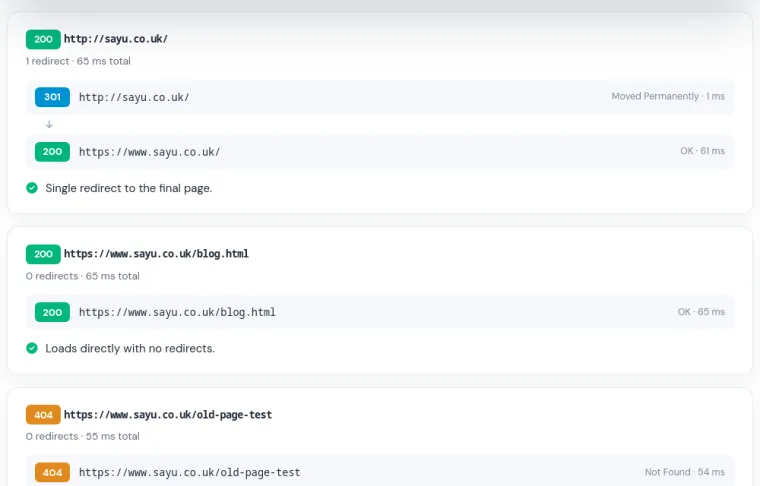
HTTP status checker
Status codes and the full redirect chain for up to 10 URLs, with redirect problems flagged.
Use the tool New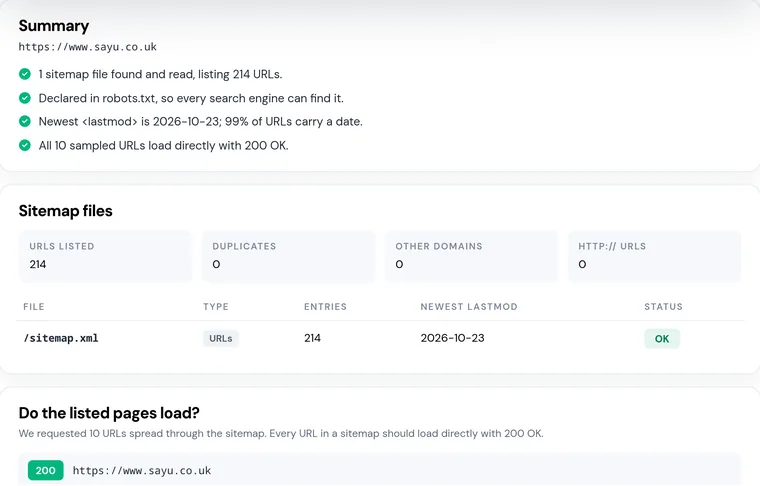
Sitemap checker
Find your XML sitemaps, check they load and count the URLs, then test whether the pages listed really work.
Use the tool New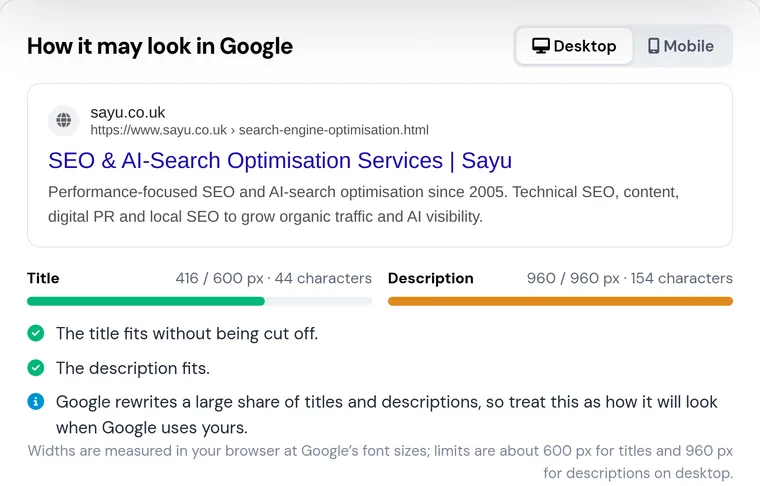
SERP snippet preview
See how your title and description look in Google, measured in pixels, with exactly where they get cut off.
Use the tool New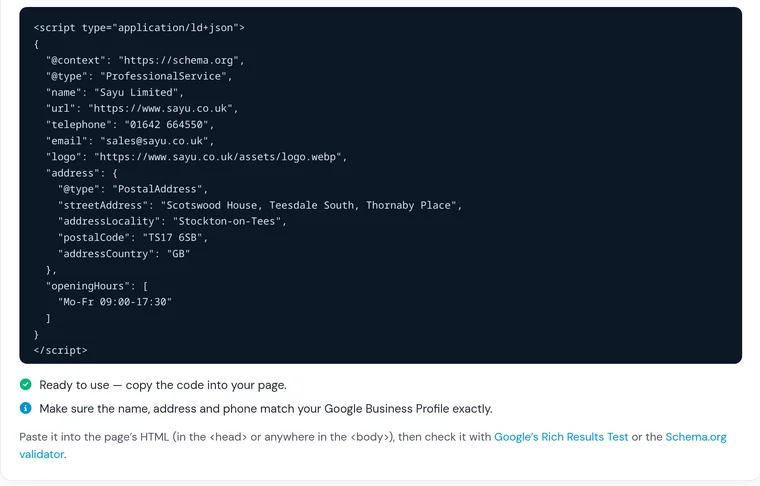
Schema generator
Build valid JSON-LD for your business, articles, products, FAQs and breadcrumbs: fill in a form, copy the code.
Use the tool New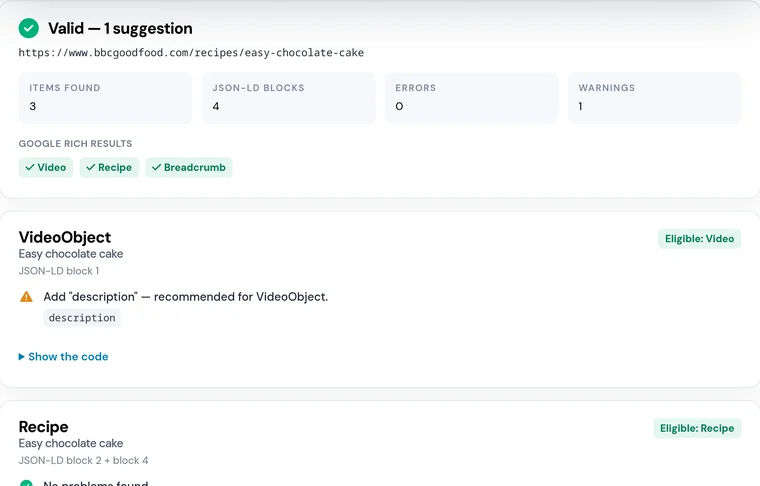
Schema checker
Test the structured data on any page: broken JSON-LD, missing properties, wrong formats and which rich results it can earn.
Use the tool

