
PPC Bing Shopping Management
Microsoft Shopping campaigns put your products, with image, price and shop name, in front of shoppers on Bing, Yahoo, AOL, DuckDuckGo and Microsoft's partner sites.
Many retailers only run Shopping on Google. Adding Microsoft reaches extra buyers, often at a lower cost per click and with less competition for each product.
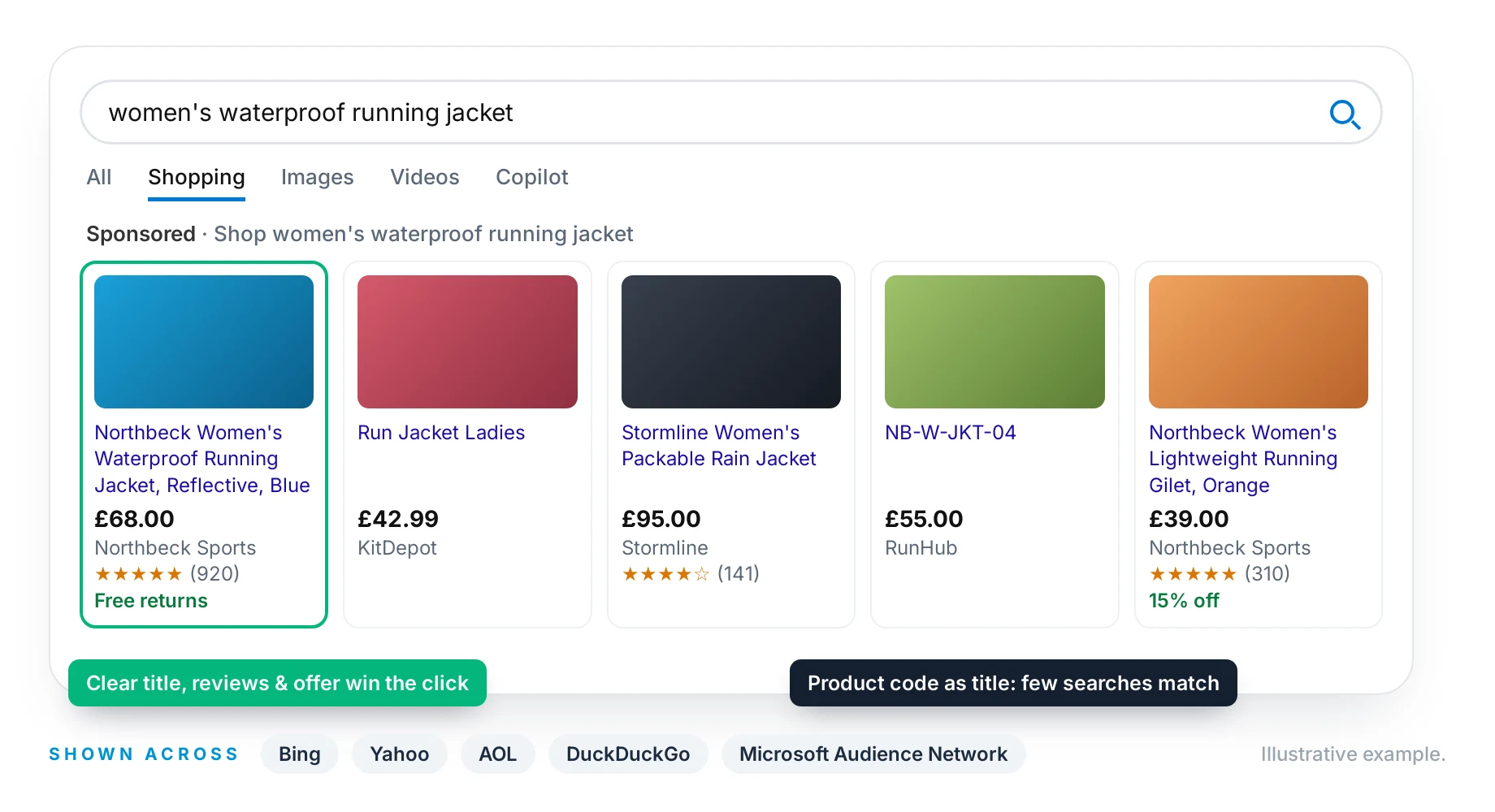
Your Products in Front of Microsoft's Shoppers
Microsoft Shopping ads show the product image, title, price, shop name and reviews before anyone clicks, on Bing's main results and the Shopping tab, and across Microsoft's partner sites.
The same rules apply as on Google: clear titles, good images, reviews and offers like free returns win the click, while competitive prices and smart bidding win the sale. With fewer advertisers competing, a well-run feed stands out even more.
What Adding Microsoft Can Look Like
Typical results when a retailer already on Google Shopping adds Microsoft.
Monthly Shopping revenue
£k, illustrative
- Microsoft
View the data as a table
| Month | Microsoft | |
|---|---|---|
| Month 1 | 42 | 2 |
| Month 2 | 43 | 4 |
| Month 3 | 41 | 6 |
| Month 4 | 44 | 7 |
| Month 5 | 45 | 8 |
| Month 6 | 46 | 9 |
Average cost per click
£, illustrative
- Microsoft
View the data as a table
| Category | Microsoft | |
|---|---|---|
| Fashion | 0.6 | 0.4 |
| Home | 0.6 | 0.4 |
| Electronics | 0.5 | 0.4 |
| Sport | 0.6 | 0.4 |
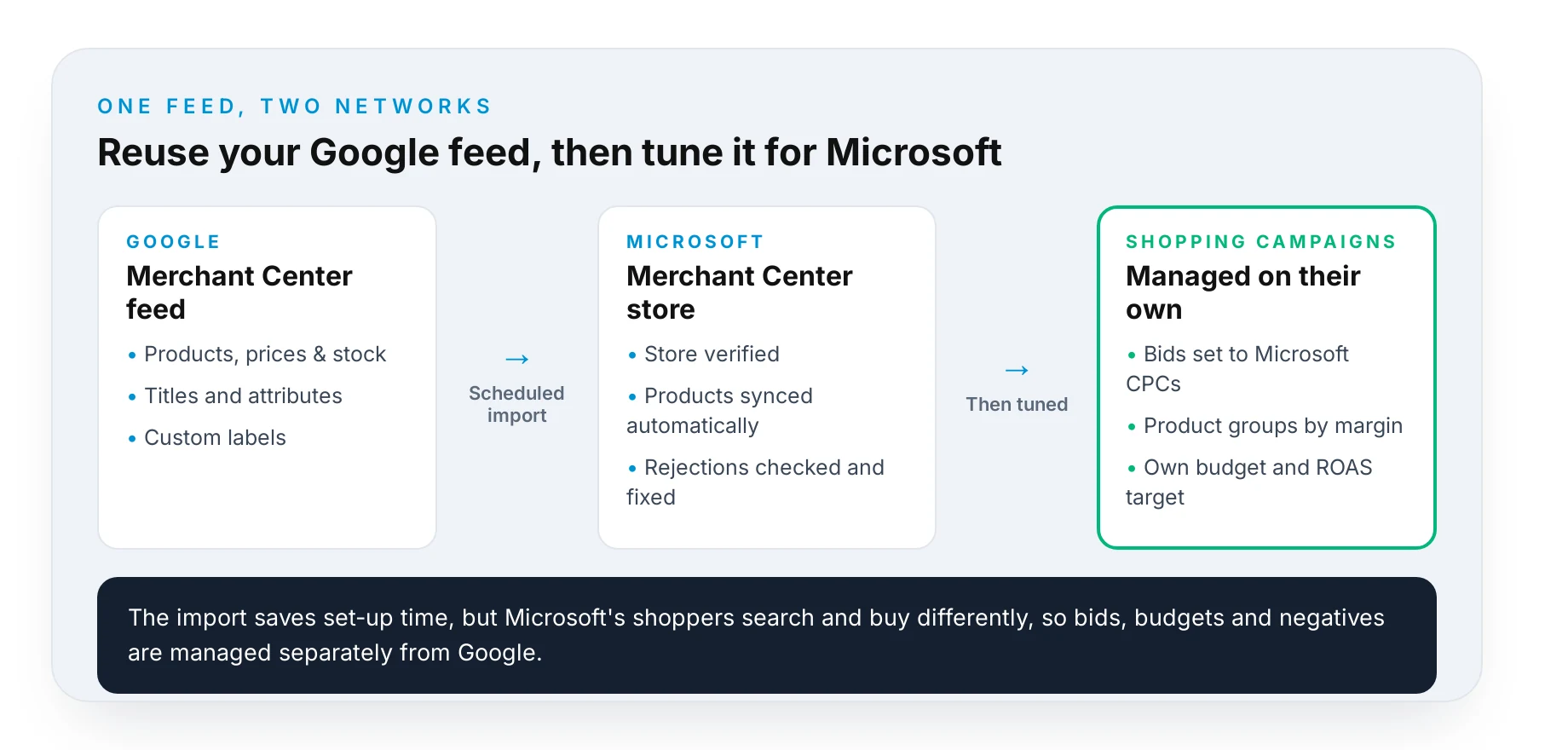
One Feed, Two Networks
If you already run Google Shopping, you don't need to start from scratch. Microsoft Merchant Center can import your Google feed on a schedule, so products, prices and stock stay in sync.
From there we treat Microsoft as its own channel: bids set to Microsoft's costs, product groups split by margin, its own budget and ROAS target, and search terms reviewed separately.
How We Manage Bing Shopping
From feed to profit, on the Microsoft network.
- 01
Feed & Store Set-Up
Set up Microsoft Merchant Center, or import your existing Google feed and campaigns.
- 02
Optimise
Fix rejected products, tidy titles and attributes, and add custom labels.
- 03
Structure
Group products by margin, performance and priority, not just by category.
- 04
Bid & Refine
Bid to your ROAS targets and exclude search terms that waste spend.
What We Do for Bing Shopping
Merchant Center Set-Up
Microsoft Merchant Center store, feed and verification done properly.
Google Import, Done Right
Import from Google, then tune bids and settings for Microsoft's audience.
Feed Optimisation
Titles, descriptions and attributes written for search.
Rejected Product Fixes
Products kept approved and eligible to show.
Margin-Based Bidding
Spend weighted to your most profitable products.
Audience Targeting
Use Microsoft's audience data to bid up on your best-value shoppers.
Questions
On Bing search and the Bing Shopping tab, plus Microsoft's partner sites such as Yahoo, AOL and DuckDuckGo, and across the Microsoft Audience Network.
Yes. Microsoft can import your Google Merchant Center feed and Google Ads campaigns. We use the import as a starting point, then adjust bids, budgets and settings for Microsoft's audience rather than copying Google's like for like.
Yes, Shopping campaigns on Microsoft need a Microsoft Merchant Center store linked to your Microsoft Advertising account. It's free, and we set it up, verify your site and connect the feed for you.
Microsoft usually needs less than Google because volumes are smaller. We start with a test budget, judge it on return on ad spend, and scale up the product groups that pay back.
For most retailers, yes. It reaches searchers you would not see on Google, and costs per click are often lower. We start with a test budget and grow it if the returns are there.
Yes. We work with feeds from Shopify, WooCommerce, Magento, BigCommerce and custom platforms, and can use feed management tools where needed.
More from Our PPC Service
Bing Ads Management
Reach the Microsoft search network, often at a lower cost per click.
Read MoreGoogle Shopping Management
Feed optimisation and Shopping campaigns that win the click on Google.
Read MoreGoogle Ads Management
How a Google Premier Partner builds and runs accounts that convert.
Read MoreAmazon Paid Advertising
Sponsored ads that lift both ad sales and organic rankings on Amazon.
Read MoreData-Driven Bid Management
Our own bidding software, built by PhD mathematicians.
Read MoreReporting & Transparency
Clear reports, direct access and no mystery about your spend.
Read More